
Summary
Microsoft is retiring SMS and voice MFA in Entra ID. Microsoft-provided SMS and voice stops for most users on 1 February 2027, and for Global Administrators and external users on 1 July 2027. This blog explains in plain English what passkeys are and why they resist phishing, SIM swap and replay attacks. It covers where traditional code-based MFA fails, what passkeys still get wrong, and how to handle lost or replaced devices. It closes with practical advice on moving to phishing-resistant MFA without disrupting Conditional Access.
Why is code-based MFA no longer enough?
October is Cyber Security Awareness Month, and this year it arrives at a turning point for how we all sign in. For more than a decade the advice was simple: turn on multi-factor authentication (MFA). Most organisations did, and most chose the easiest option, a six-digit code sent by text message or read out in a phone call.
That was the right step at the time, but attackers have caught up. They now intercept, trick and relay those codes as a matter of routine. Microsoft has responded by retiring SMS and voice as built-in sign-in methods in Entra ID and making passkeys, a form of phishing-resistant MFA, the default. If you look after identity and access in your organisation, this is a change you need to plan for now.
What is a passkey?
A passkey is a phishing-resistant sign-in credential built on the FIDO2 standard. It replaces passwords and one-time codes with a pair of cryptographic keys, and you unlock it with your fingerprint, your face or a PIN.
Think of a passkey as a lock and key that are made as a matched pair. When you set one up, your device creates both. The lock (the public key) is handed to the service you are signing in to, such as Microsoft 365. The key (the private key) stays on your device and never leaves it.
When you sign in, the service sends your device a one-off challenge. You unlock your device with your fingerprint, your face or a PIN, and the device uses its private key to answer. The service checks the answer against the lock it holds, and you are in. There is no code to type, nothing to read out over the phone, and nothing useful for anyone to steal along the way.
A passkey is still multi-factor authentication. It combines something you have (your device or security key) with something you are or know (your fingerprint, face or PIN). The difference is that neither factor ever travels across the internet as a secret someone could copy.
Why are SMS and voice codes insecure?
The weakness of a code is simple. It is a secret that a person can see, type and pass on, so a criminal only needs to persuade someone to hand it over. A fake Microsoft 365 login page can ask for the code and relay it to the real site within seconds. A caller posing as the IT helpdesk can ask for it outright. Neither attack needs any technical skill, and both are now packaged as off-the-shelf phishing kits.
Text messages carry an extra risk. In a SIM swap attack, a criminal convinces a mobile operator to move your number to their SIM card, and every code then lands on their phone instead of yours. Authenticator app codes avoid that problem, but they can still be typed into a fake page.
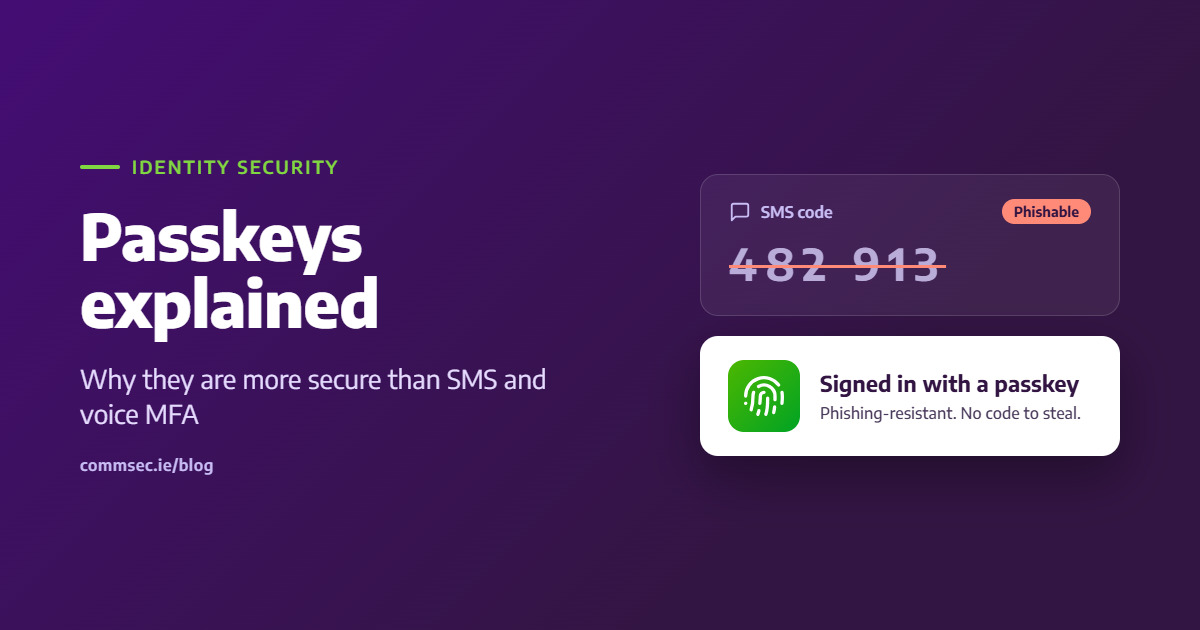
Passkeys close these gaps. Each passkey is tied to the genuine web address it was created for, so a look-alike site simply cannot use it. Microsoft describes passkeys as resistant to phishing, SIM swap and replay attacks, because there is no shared secret to intercept or reuse.
Why does traditional MFA fail?
MFA rarely fails because the idea is wrong. It fails because of weak verification methods, tired users and patchy rollouts.
Security weaknesses
- Insecure SMS codes: Text messages can be intercepted through SIM swapping or flaws in mobile networks. This is why NIST treats SMS as a restricted method and advises against relying on it alone.
- MFA fatigue: Attackers flood a user with push notifications until they tap Approve, either by accident or out of frustration.
- Advanced phishing: Real-time phishing kits sit between the user and the real login page. They capture rotating codes and session tokens as the user signs in.
Implementation and usability challenges
- User friction: Clumsy sign-in steps with no adaptive controls frustrate staff and lead to low adoption.
- Legacy compatibility: Older applications often cannot support modern authentication without costly rework.
- Partial coverage: MFA that is not enforced across every application and user leaves open doors for attackers.
When is Microsoft retiring SMS and voice MFA in Entra ID?
Since 1 September 2026, passkeys have been the default sign-in method in Microsoft Entra ID. Users who still rely on SMS or voice are now automatically enabled for passkeys and prompted to register one the next time they complete MFA.
From 1 February 2027, Microsoft will stop providing SMS and voice authentication for most users. Anyone whose only MFA method is a text or a call will be blocked at sign-in until they register a passkey, and there is no opt out. Global Administrators and external users follow on 1 July 2027.
Organisations with a genuine regulatory need for text or voice codes can buy a telephony service through Microsoft Security Store from 30 October 2026. Microsoft is clear, however, that passkeys are the recommended path for everyone else. You can read the full detail in Microsoft’s retirement guidance.
What happens to my passkeys if I lose my phone or change my laptop?
This is the first question most people ask, and it is a fair one. The answer depends on which type of passkey you use. Synced passkeys live in a credential manager such as iCloud Keychain or Google Password Manager. They follow you across your devices, so a new phone or laptop picks them up once you sign in to that account.
Device-bound passkeys stay on one device and cannot be copied. Examples include a passkey in Microsoft Authenticator, Windows Hello on your laptop, or a FIDO2 hardware security key such as a YubiKey. Because they never leave the device, they are the most secure option. A hardware key is the strongest choice for administrators and other high-risk accounts.
The trade-off is that a device-bound passkey goes with its device. The fix is good planning, not weaker security. Register at least two methods, for example a passkey on your phone and a hardware key kept somewhere safe, and agree a controlled recovery process with IT. When a phone dies, the real problem is usually a single device with no backup, not the passkey itself.
How do you move to phishing-resistant MFA safely?
The technology is ready, but the rollout needs care. Most organisations control sign-in through Conditional Access rules, and these are easy to get wrong.
“Changing Conditional Access rules on the fly is a bit like playing KerPlunk. Pull the wrong straw and users are locked out, or a gap opens that nobody notices”. Barry Rooney, CTO, CommSec
A safer approach starts with knowing who still uses SMS or voice, and which passkey type suits each group. Next comes a registration campaign backed by clear communication to staff. Only then should Conditional Access be tightened to require phishing-resistant MFA, starting with administrators and other privileged accounts.
CommSec helps organisations plan and deliver this change, from the initial review of your Entra ID set-up to the Conditional Access changes that complete it. If you would like support moving to phishing-resistant MFA before Microsoft’s deadlines, talk to our team.
Frequently asked questions
Are passkeys more secure than SMS codes?
Yes. An SMS code is a shared secret that can be phished, intercepted or relayed. A passkey never leaves your device and only works on the genuine website it was created for, so it resists phishing, SIM swap and replay attacks.
Is a passkey a form of multi-factor authentication?
Yes. A passkey combines something you have, your device or security key, with something you are or know, your fingerprint, face or PIN. It is a phishing-resistant form of MFA.
Can I still use SMS or voice MFA in Microsoft Entra ID after February 2027?
Only if your organisation configures a third-party telephony provider through Microsoft Security Store. Otherwise, users whose only method is SMS or voice must register a passkey to sign in.
What is the difference between a synced and a device-bound passkey?
A synced passkey is stored in a credential manager, such as iCloud Keychain or Google Password Manager, and follows you across devices. A device-bound passkey stays on one device, such as Microsoft Authenticator, Windows Hello or a hardware security key.
What is the most secure type of passkey?
A FIDO2 hardware security key, such as a YubiKey, is considered the most secure option. The key cannot be copied, which makes it the best choice for administrators and privileged accounts.
Sources
- Microsoft: Passkeys by default and retirement of SMS and voice authentication
- Microsoft: Troubleshoot signing in with a passkey
- NCSC: Passkeys, not perfect but getting better
- TechTarget: Common MFA mistakes and how to fix them
- Rubrik: Top 10 MFA implementation challenges
- Strata: Top 10 MFA implementation challenges
- IDSA: Why modern MFA keeps failing
- WorkOS: Common pitfalls of MFA
- Specops: Passkeys, benefits and limitations